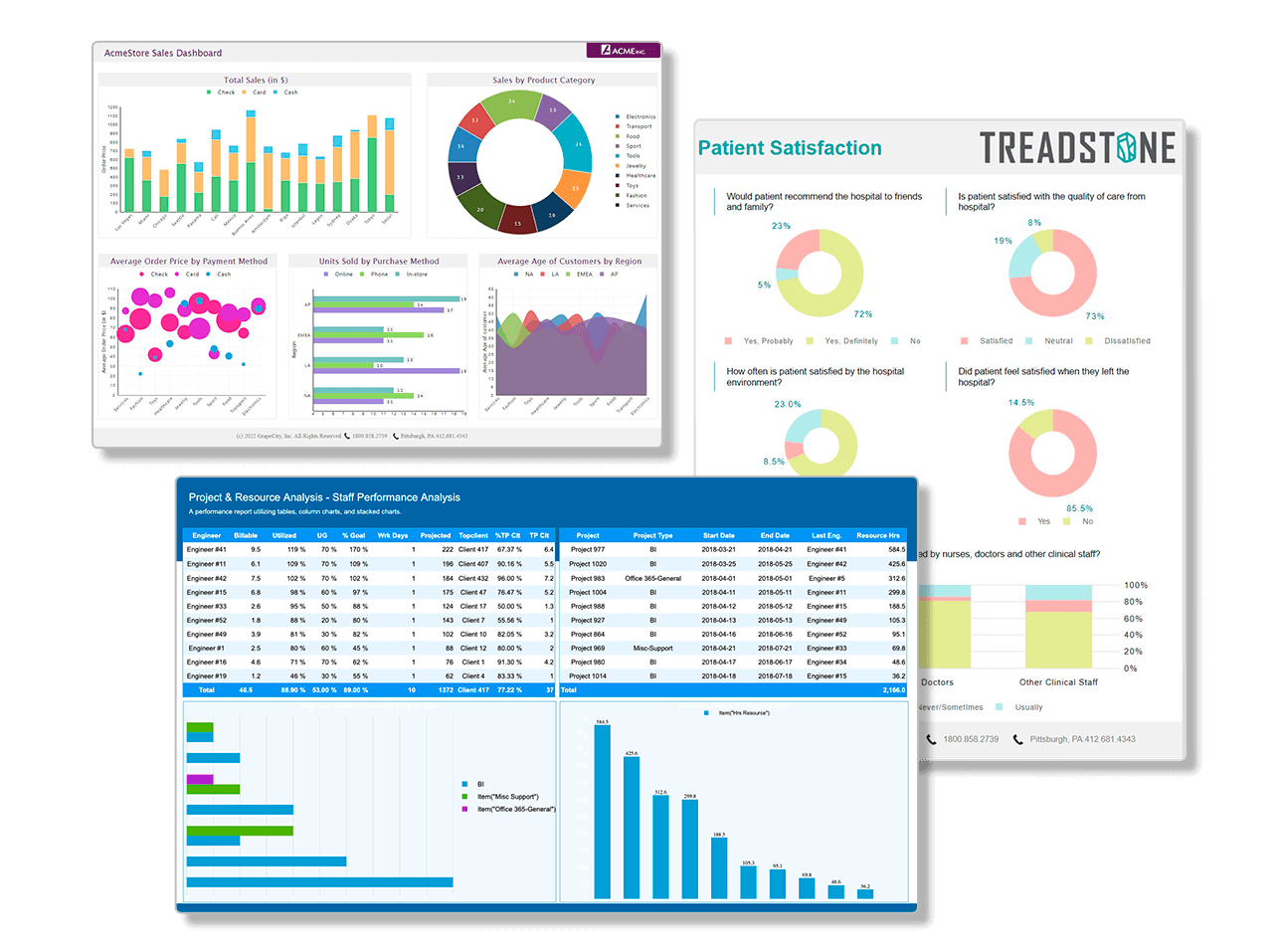
Data Dynamics Analysis - Screenshot

First free-form, .NET Business Analysis component for Microsoft Visual Studio to embed out-of-the-box full featured interactive OLAP, data visualization, and business intelligence for both structured and unstructured data.

Compare products! Download Data Dynamics Analysis now! Buy Data Dynamics Analysis now!

Data Dynamics Analysis - Releases

Data Dynamics Analysis 1.0.634.0
New Features
Download Data Dynamics Analysis now!
  • 127509 - It is now possible to resize the pivot view at runtime in the ASP.NET control. New JavaScript function DD.PivotView.SetControlSize(controlId, width, height, synchronizeWithServer); has been added.
  • 128003 - It is now possible to remove measures and attributes that have been added at runtime.
  • 129736 - Internet Explorer 8 is now a supported runtime environment.
  • 110524 - A clear all option is now available for quick filters on the web.
  • 127888 - The legend cards can now have their visibility toggled.
  • 128664 - Custom toolbars can now display the format dialogs.
Fixed Issues
  • 128463 - The schema search functionality was broken after loading a second connection.
  • 127738 - Schemas that were generated automatically had issues when sorting dates.
  • 127899 - An exception is no longer thrown when saving a cube that was generated with a previous version of DDA.
  • 128085 - Newly added measures no longer disappear when chaging the aggregate type.
  • 127743 - Local cube files no longer have issues when sorting dates.
  • 127744 - Some caching issues have been resolved
  • 123751 - Visual Studio no longer associates web service requests with .analysis files.
  • 130656 - The expand/collapse glyphs are now displayed when toggled through code.
  • 129859 - The filter dialog no longer inadvertently clears all selections when the first item is toggled twice.
Known Issues
  • 130903 - In certain circumstances dragging KPIs onto the Data shelf can result in an error.
Data Dynamics Analysis 1.0.537.6

New Features

Download Data Dynamics Analysis now!
  • 119139 - Samples are now provided in Visual Basic .NET.
  • 121656 - Calculated measures are now correctly supported.
  • 123784 - The internal data manager has had some updates, this affects local cube files which cannot have sorting and filtering applied to them because they don't have the required data in them. New local cube files do not have this issue.
  • 123793 - When using part-to-whole calculations, the grid now indicates the cells that are considered the "whole".
  • 124878 - It is now possible to export the values of a view to the CSV file format.
Fixed Issues
  • 120917 - Using a dataview with an unbound data source no longer causes a file not found error.
  • 121252 - Removing a filter no longer drills up attributes.
  • 122730 - All CardLayout settings are now loaded when loading layouts.
  • 123785 - Improved performance of relational/unbound data.
  • 123935 - A data provider error no longer occurs when dragging and dropping a hierarchy.
  • 124489 - Some licensing issues have been corrected.
  • 125808 - The maximum value for graphs is now calculated correctly when adding two discrete fields to the row or column shelf.
  • 125810 - Part to whole calculations now calculate totals correctly.
  • 125865 - The range for a quick filter and manual filter is now correctly displayed.
  • 126133 - The page card no longer has a broken slider in Mozilla FireFox 3.0.
  • 126186 - The Quick Filter card for a KPI is no longer empty.
Data Dynamics Analysis 1.0.464.0

New Features

Download Data Dynamics Analysis now!
  • 115355 - Data Dynamics Analysis now has a Spanish localization.
  • 118745 - It is now possible to set the display panels property at design time.
  • 119316 - Data Dynamics Analysis now uses the licensing model built into ASP.NET making it much simpler to deploy web applications.
  • 37503 - Part-to-whole calculations are now implemented in the Windows Forms control.
  • 37504 - Part-to-whole calculations are now implemented in the ASP.NET control.

Fixed Issues

  • 111510 - Users are unable to generate schema files for an XMLDataSource.
  • 117685 - An error no longer occurs when trying to add a new filter in certain circumstances.
  • 118198 - An exception is no longer thrown when the control has focus but the mouse is outside of the control and the scroll wheel is scrolled.
  • 118825 - Using a heading filter no longer results in an error.
  • 118858 - The "Discount vs Freight broken down by Category" sample now uses the Circle marking type to better illustrate the data.
  • 119463 - Serial numbers purchased through the ESD store now work with the windows forms control.
  • 119589 - The "Exception: Variable sourceMediator is null" error no longer occurs in certain circumstances when dropping an attribute on to the row shelf
  • 119622 - The schema generator commandline tool now supports XML files.
  • 119734 - Disconnecting then reconnecting to a data source no longer causes an error message to be displayed.
  • 119932 - Several spelling errors have been fixed in the sample gallery.
  • 121489 - An error should no longer occur when using the same data source in multiple sessions in the web control.
  • 121489 - An error should no longer occur when using the same data source in multiple sessions in the web control.
  • 121511 - An exception is no longer thrown in some cases when using an unbound data source complaining about not finding a field in the schema.
  • 122477 - An exception when using the undo/redo functionality is no longer thrown.
  • 122487 - It is now possible to use multiple pivot views on the same web page.
  • 44051 - Non-Manual member filters should indicate their active setting using the MenuItem's Checked property.
Data Dynamics Analysis 1.0.393.0

New Features

Download Data Dynamics Analysis now!
  • 110417 - Enable users to view trend lines for XY charts.
  • 110464 - Expose trend lines for XY charts.
  • 111331 - Updated samples to show trend lines in action.
  • 111814 - Updated API to expose values from selected data points.
  • 114442 - It is now possible to hide shelves and the toolbar for the web control.
  • 116344 - Data Dynamics Analysis has been verified to work with Analysis Services 2008.
  • 37569 - Enable the PivotView and Schema to be localized to any language.
  • 37570 - Member selection has been implemented for the web control.
  • 37571 - Enable multiple members to be selected using the shift and control keys.

Fixed Issues

  • 101616 - PivotView control should support SuspendLayout and ResumeLayout methods.
  • 105353 - PivotView throws an exception when choosing Print Preview in some cases.
  • 110710 - Cannot modify cards in web control programmatically.
  • 110989 - PivotView throws an exception when multiple hierarchies are on multiple encoding shelves.
  • 111329 - The ClearLayout command does not work as expected in some cases.
  • 111502 - UnboundDataSource cannot be saved to disconnected cube.
  • 112202 - Reset Layout command does not work as expected.
  • 113084 - Automatic Schema Generation does not set the correct expressions for dates.
  • 113084 - Automatic Schema Generation does not set the correct expressions for dates.
  • 113347 - Made the API consistant in how it handles the toggling of certain cards.
  • 114120 - Web PivotView control throws an exception when connecting to a web data source control in certain situations.
  • 114307 - Clicking on the area between the members and releasing mouse causes unwanted member resizing.
  • 114601 - When setting a custom context menu, it now completely overrides the built in context menus.
  • 114686 - An additional property has been added to the PivotView to allow ASP.NET page authors the ability to have multiple instance of the same page work independent of each other.
  • 114737 - Checkboxes now display when using the manual filter option in IE.
  • 115165 - Resizing a cell in the ASP.NET web control no longer takes a lot of processing on the page before control can be resumed by the user.
  • 115388 - Dialogs are no longer cut off in the web control.
  • 115390 - Fixed an issue where the control contents could grow but not provide scroll bars.
  • 115392 - Fixed an issue where the color legend for a continuous measure would not paint correctly when moving it from the right side of the pivot view to above.
  • 115631 - The web sample gallery now allows you to change the theme.
  • 115759 - The documentation now reflects the fact that Data Dynamics Analysis is supported on Windows Vista.
  • 116719 - An error is no longer displayed when dragging the ASP.NET control onto a page designer surface.
  • 117266 - An error is no longer displayed when opening the Title Format dialog.
  • 43710 - Filter member list does not match PivotView members in some cases.
  • 94923 - Card drop indicators do not get cleared in some cases.

Known Issues

  • 115355 - The included Spanish localization has not been verified to be accurate yet and should not be redistributed.
1.0.321

New Features

Download Data Dynamics Analysis now!
  • 108706 - Title format should default to a more appealing format for each theme.
  • 37567 - Samples browser should display status update along with an option to cancel.
  • 37568 - Automatically uninstall old build when a previous version is found during setup process.
  • 76889 - Allow data source controls to auto connect to the data source with a design time property.

Fixed Issues

  • 105468 - Licensing web server documentation is not correct.
  • 105885 - Include Reels database with setup.
  • 109042 - PivotView throws an exception when using special characters.
  • 109068 - Web viewer control throws an exception when referencing a dimension that contains certain characters.
  • 109222 - When the PivotView control is used in an ASP.NET, Internet Explorer displays a "Sys.Application" error in the status bar.
  • 109226 - Web control throws "Argument Cannot be Null Exception" for parameter: commandIDPostfix when applying a sort condition.
  • 109236 - PivotView displays "Standard" in cells instead of the formatted number in some cases.
  • 23614 - Changing pages should not reset the selection object.
  • 47229 - Web control has some usability issues with dropping cards to the right and bottom of the grid.
  • 71995 - Labels overlap and get clipped in some cases.
1.0.279

New Features

Download Data Dynamics Analysis now!
  • 37487 - Add all available options to the built-in toolbar by default.
  • 77027 - Consolidate all appearance settings into an AppearanceSettings object for easy discoverability.
  • 77103 - Create a ILayoutState interface to request information from the current layout.
  • 77107 - Change all LayoutAction methods to accept UniqueName parameters rather than Schema specific parameters.
  • 77694 - Provide a link to the Visual Studio integrated help from the Start Menu.

Fixed Issues

  • 23968 - The web control becomes non-responsive after loading an invalid layout.
  • 33767 - Documentation Class Library should contain more code snippets and detailed information about each member of the various DDAnalysis controls.
  • 36144 - Web control allows user to drop duplicate item to shelf, but has no effect, even after server refresh.
  • 41175 - Legends should be disabled when AutoQuery is turned Off.
  • 41713 - When expanding multiple levels in the member treeview on the PivotView Web Control, the members are not able to be read.
  • 42769 - Title and MarkingType should reset when a new connection is established.
  • 43008 - Measure quick filter and manual filter show different start and end values, though they should be the same.
  • 43162 - KeepOnly filter should only keep the selected member headers.
  • 43452 - Clicking the Reverse button on the Continuous Color dialog does not work correctly.
  • 43460 - The web control throws an exception when dropping a field from the FilterShelf to any other shelf.
  • 43607 - When clicking Undo very quickly on the PivotView web control, an exception is thrown.
  • 43811 - An exception is thrown when a measure is filtered that causes no pages to be displayed.
  • 44051 - Non-Manual member filters should indicate their active setting using the MenuItem's Checked property.
  • 44078 - When changing the PivotView theme while connected to Microsoft Analysis Services, the PivotView throws an exception.
  • 45090 - Integrate MSDN documentation into our API to allow context sensitive help with the [F1] key.
  • 45165 - When running the Samples Gallery project, there is no theme selected.
  • 45169 - When calling the SwapAxis command, the row headings and column headings do not get recalculated correctly.
  • 45573 - Connect to DB windows viewer sample dialog is not working correctly.
  • 45946 - BeginLayoutUpdate() method and Run() method should be documented with meaningful information on how to use them.
  • 45948 - The comment for GridHeadersStyle intellisense is not correct.
  • 45985 - Member headings all read "(All)" when applying a continuous filter on a fully expanded hierarchy.
  • 47148 - H2Reg.exe does not work when ran on MSVista machine.
  • 47226 - Description card overlaps other cards in the PivotView web control.
  • 47292 - Remove all methods that allow user to create selections programatically.
  • 47313 - PivotView Web Control displays large white bands in the legends when used inside FireFox.
  • 48389 - Current Page card should disappear when a new connection is established since there are no Page fields.
  • 48655 - Create an installer utility that will install DDAnalysis components to VS2008 toolbox.
  • 48683 - Column headings should always be horizontally oriented in the PivotView.
  • 48706 - The source code and directory structure of the Windows Viewer sample project has unnecessary artifacts.
  • 50524 - SchemaGenerator utility should provide more information when throwing an exception.
  • 50769 - DDAnalysis controls should be grouped together in a 'Data Dynamics Analysis' group in the Visual Studio toolbox.
  • 50775 - PivotView icon is a bit pixellated in the Visual Studio Toolbox.
  • 56803 - DDAnalysis API should be consolidated down to a manageable and logical set of namespaces.
  • 57387 - Setting the PivotView size at design time has no effect at runtime.
  • 59191 - Hide all unsupported events at design time.
  • 76872 - Allow the [Enter] key to accept input for the Title card and QuickFilter card.
  • 86826 - Description card does not read correctly when applying a Value filter on an Attribute.
Privacy Policy | Copyright © 1997-2010 - GrapeCity, inc.