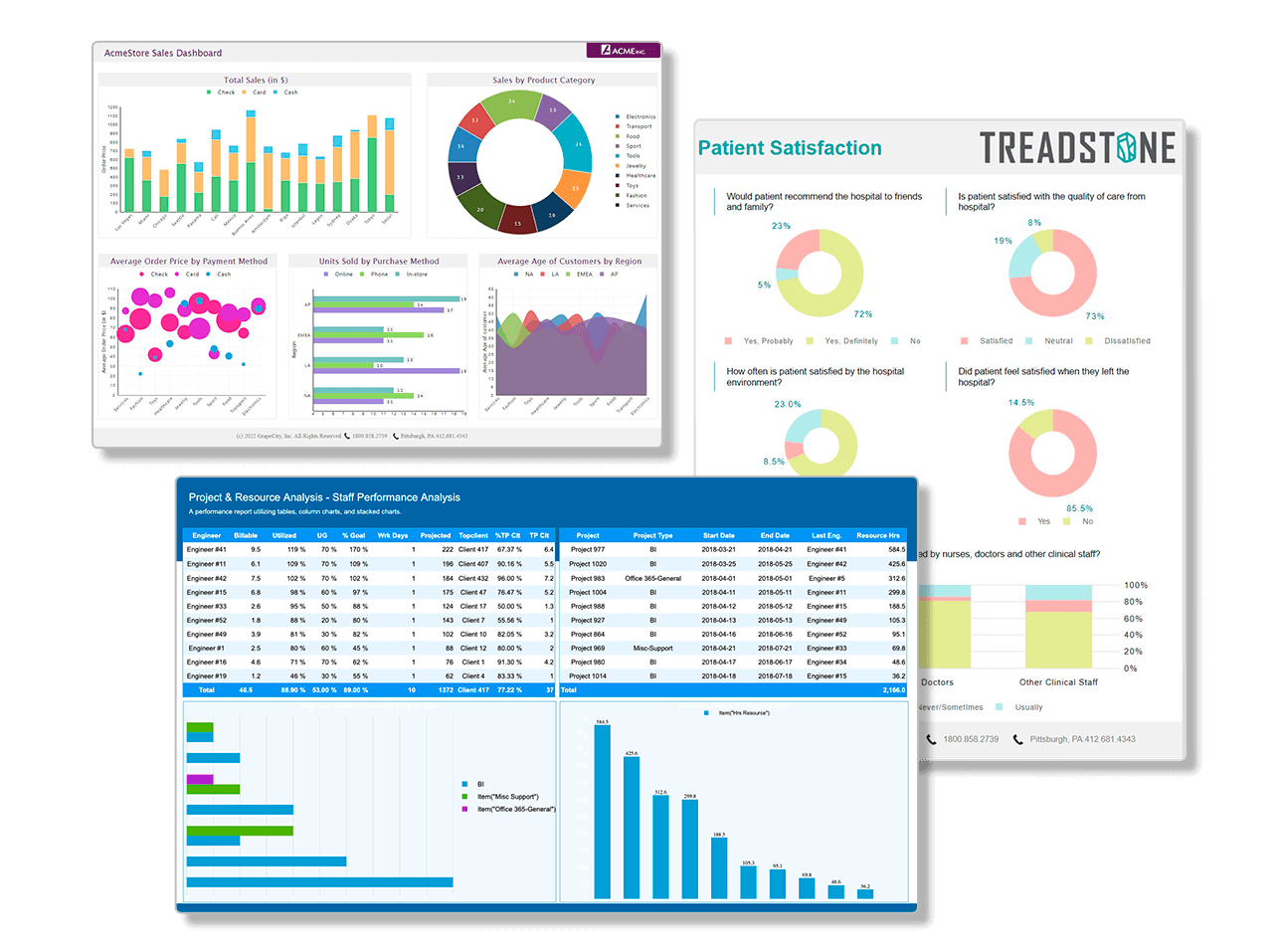
ActiveAnalysis - Features and Benefits
Out-of-the-box functionality saves time
Thanks to the out-of-the-box features and the built-in user interface in ActiveAnalysis, you can develop and deploy a full-blown Business Intelligence solution with interactive OLAP and data visualization features without writing a single line of code.

Learn More
Silverlight®, Windows Forms, and ASP.NET support ensures a rich user experience whether on Windows or the Web
ActiveAnalysis supports Microsoft Silverlight®, Windows Forms and ASP.NET. That means you can provide the same rich user experience in your Web applications that would normally require a Windows application, all in one convenient package!

Learn More: Silverlight viewer |
Windows viewer |
ASP.NET viewer
Combines charts and pivot tables into one powerful data visualization component
Unlike most OLAP and analysis products that are either primarily pivot tables or primarily charts, ActiveAnalysis goes beyond these limitations. We grasp data at its fundamental level and deliver a single component that offers a wide array of data visualization capabilities. With the click of a button, you can turn a cross-tab pivot table into a trellis display of feature-rich charts and turn it back with another click.

Learn More
Interactive, drag-and-drop user interface accelerates discovery of data trends
No matter what industry you are in, ActiveAnalysis will allow your users to find new trends in their data. A single connection can generate thousands of chart variations with simple mouse clicks. Each view gives users a different perspective on their data. They can tell a different story using the same data by reorganizing field layouts. With the right perspective, new data findings appear that may have otherwise gone unnoticed.

Learn More
Microsoft Excel export allows users to share analysis results offline
Allow your users to take the analysis they perform within your application and put it into a format that they can use. Excel exports allow them to perform additional analysis and what-if scenarios, and to share the results with people who do not have access to the data.

Learn More
PDF Export
You can export your analysis views to PDF in both Windows Forms and Silverlight projects. PDF export includes these end user features:
- Encrypt exported PDF files with a password.
- Control permissions for printing, copying, and screen readers.
- Supply a title, author, subject and keywords.
- Set page layout and print options.

As a developer, you can set even more options on the PDF Export:
- Hide individual Adobe Acrobat Reader UI elements upon opening the PDF document.
- Set owner password, user password, and even 128 bit encryption for more permission options.
- Create and add watermarks to the exported document.
Learn More | Export Types | Export a View
Schema Editor
ActiveAnalysis adds a schema editor to make it easier to create new schemas or edit existing ones. You can even use it to generate new schemas for XML and relational data sources. Features include:
- View query fields and schema fields in panes to quickly understand the schema structure.
- Click any type of field to display and modify its properties in the pane to the right.
- Drag fields into expression boxes to quickly create calculated fields.
- Arrange fields in subfolders with the Display folder property.
- Undo mistakes easily with the Undo button. Go ahead and experiment!

Learn More
Data binding without limits allows users to analyze a wide range of data
ActiveAnalysis works with a wide range of data types, including both structured and flat data, and works in both connected and disconnected modes. For easy setup, we include several data source controls that help bind to the more common data sources such as SQL Server, MySQL, Oracle, Microsoft Access, Microsoft Excel, Xml, DB2, and Microsoft SQL Server Analysis Services. You can even use an included utility to create an XML file that models flat data into a multidimensional format for a full OLAP analysis experience.
If you can get access to your data in code, then ActiveAnalysis allows your users to explore it visually.

Learn More - Developers | Learn More - Users
Initiate SASS Actions to Add Value to Cube Data
Extend the value of your cube data by initiating SASS actions through ActiveAnalysis. Use the Report action to view Reporting Services or use the URL action to open a Web page. Target actions possible through ActiveAnalysis include Schema, Members and Data point (Cells). As a developer, you simply set the newly added AnalysisServicesActions property in the MdxDataSource to access these actions on a WindowsForms, ASP.NET or Silverlight platform.
Learn More | AnalysisServicesActions
Utilize ADO.NET Data Providers
ActiveAnalysis is capable of using ADO.NET data providers such as SQLite and SQLCE. Create a custom ADO.NET data provider and register it in ActiveAnalysis. The rest is simple with the new ADO connection type.
Learn More
Modular user interface that is easy to customize
ActiveAnalysis allows you and your users to display, reposition, or hide any aspect of the user interface with dockable cards. This feature not only allows for a customized experience for each user, but also fully encapsulates the user interface logic within the component itself. You can save card layouts to disk or memory, and reload them at any time.

Learn More
Built-in toolbar gives end users access to data visualization features
In addition to the drag-and-drop user interface, most of the ActiveAnalysis functionality is accessible using the built-in toolbar. This allows developers to get up and running with a full data analysis solution in no time at all. You can hide the toolbar using the design-time Properties grid or at run time with a single line of code.

Learn More
Powerful built-in data filters for fast analysis
Filtering data is an essential element of any data analysis experience. ActiveAnalysis is built to ensure that every conceivable way to filter data is available by default with no configuration necessary. Simply place the control on a Windows Form, a Silverlight form or an ASP.NET Web form, add data, and your users are immediately able to begin drilling into their data and filtering results to show only the data that are most important to their analysis goals.

Learn More
Continuous mode allows easier analysis of numeric and date-based data
Continuous mode makes it easier to deal with numeric or date-based attributes, easily spot gaps in data, and view a larger data set without scrolling, thus revealing trends that would otherwise be hard to find.

Learn More
Data summarization feature displays key statistics to aid understanding
ActiveAnalysis users can highlight a selection of data points and watch various aggregate results appear on the Summary Card. This feature gives detailed analysis of dynamic displays, and makes it easy to determine what values make up major outliers.

Learn More
Aggregate and underlying data views enable top-down and bottom-up analysis
ActiveAnalysis users can highlight a section of data and use the built-in context menu to view aggregate and underlying data. They can then select this data and copy it to the clipboard to paste into any application that accepts tab-separated data.

Learn More
Paging and slideshow features help analyze data changes over time
ActiveAnalysis provides paging to help in visually analyzing data changes over time by displaying each time interval as its own page. Users can either manually switch between pages or use the slideshow feature to turn the pages automatically.

Learn More
Numerous ways to rank and sort data
With the built-in context menus in ActiveAnalysis, users can sort their data in many different ways. They can sort and rank members in ascending or descending order, by caption, key or any field they select. When the user applies sorting to a field, a sort indicator displays on the field to remind them that a custom sort operation is set.

Learn More
Undo and redo capabilities encourage iterative analysis and save development time
When your users are analyzing data, they are looking for undiscovered patterns, for insight. In order to support this fast analytical thinking, ActiveAnalysis provides the ability to undo any changes made to the view. This allows them to revisit previous results at any time. Having this built right into the component saves hours and possibly weeks of development for such support.
Restrict user interface functions by user role with the permission-based security model
With ActiveAnalysis, you can restrict which users can do what within the PivotView user interface. For example, you can globally disallow sorting, filtering or other user interface functions. Or you can associate these permissions with user roles in your application to restrict groups of users to specific user interface operations.

Learn More
CSS-like styling to easily change look and feel without recompilation
ActiveAnalysis offers a robust themes engine that lets you create the look and feel that you want. Control the look of each aspect of the view using a CSS style approach. The product ships with many pre-built themes like Office 2007, Windows Classic, Windows Vista, and more. Configuring your own style is as easy as modifying an XML file, CSS file, or XAML markup and does not require a full recompile of the hosting application.

Learn More
Easy printing of data analysis results
Users can share their results by using the ActiveAnalysis print preview and print features. All of the presentation data are sent to the printer as well to help describe the resulting view, including the various legends, the title, and the description text.

Learn More
Easy deployment via Save and Load capabilities, with no runtime royalties
ActiveAnalysis features robust deployment architecture with no run-time royalties. You and your users can save and load various aspects of the view such as layouts, permissions, card configurations, data, and styles without ever recompiling the hosting application and at no extra costs.
- Layouts - Save data layout configurations to XML and you can load them later to refresh the view with the latest data. When you save layouts, an optional flag allows you to save them with data. This lets you send layouts to business users who do not have access to the data source.
- Card Settings - Save and load card layouts so that each user can customize the application to fit their needs.
- Permissions - Easily load permissions at design time with a checked list of permission settings. At run time, it's as easy as loading a saved XML file.
- Styles - Style the Pivot View to fit seamlessly into your existing Silverlight, Windows Forms and ASP.NET applications with the endlessly configurable user interface.
- Data Source - Most analysis solutions can connect to multiple data sources with the same database schema. ActiveAnalysis enables layout files to persist the data source information with the layout file, ensuring that the layout always uses the specified data source. Alternatively, omit the data source information to allow the current layout to run against an older version of the database for historical analysis.

Learn More - Developers |
Learn More - Users
Extend library functions with external assembly references
You can add external assembly references to enhance the already comprehensive list of ActiveAnalysis library functions. As a developer, you can add these references in the following ways:
- From the References dialog in the Schema Editor
- Using the API to write code referencing the assemblies
You can support custom functions that are in an external assembly, in a class within the project, or in a few lines of custom code.

Learn More